View Lyrics
Read the exact words that were sung and spot the lines worth tightening.
The best AI for songwriting helps at every stage of a song: finding the words, shaping verses and choruses, and hearing the lyrics sung over a full arrangement. freemusic keeps those stages together in one browser workspace.
Songwriting help pays off when it covers the whole path from idea to recording. Use this checklist to judge any tool, matched to what freemusic offers.
Describe a feeling or story and get verses back. Lyric Studio and the AI Lyrics Generator both start from a short prompt.
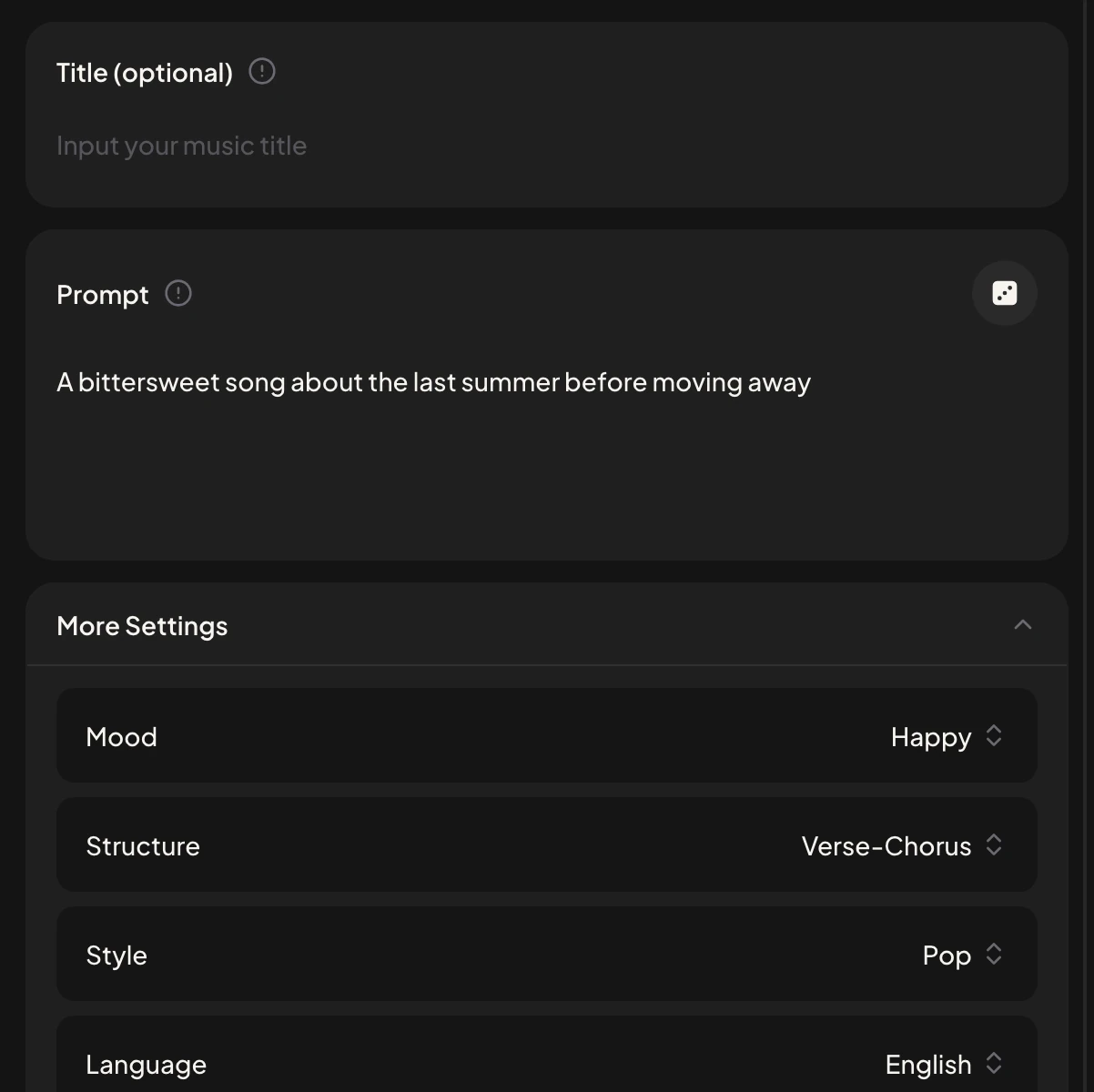
Set Mood, Structure, Style and Language in the More Settings menu of the AI Lyrics Generator.
Paste finished lyrics into the Lyrics tab of the AI Music Generator and a vocal performs them over an original arrangement.
Number of Songs to Generate is set to 2, so each run gives two versions of the same lyrics.
Open View Lyrics or Use Style & Lyrics in My Workspace to refine a song from where it stands.
Lyric Studio lets several AI writing models draft lyrics side by side, so you can compare phrasing and send the strongest draft to music generation in one click.
The AI Lyrics Generator takes a Title (optional), a Prompt and More Settings for Mood, Structure, Style and Language. A prompt as short as this one is enough to begin:
A bittersweet song about the last summer before moving away
Four moves take a song from a rough idea to a sung recording you can compare and keep.
Describe your idea in Lyric Studio or the AI Lyrics Generator and keep the lines that sound like you.
Rewrite weak lines, mark sections such as [Verse] and [Chorus], and read the lyrics aloud for rhythm.
Open the AI Music Generator, switch to the Lyrics tab, paste your lyrics and describe the genre, mood and instruments.
Play both versions in My Workspace and keep the melody that fits the words best.
Good songs come from rewrites, and these Workspace options keep each round quick.
Read the exact words that were sung and spot the lines worth tightening.
Load the same style and lyrics into the generator, change a line or the genre, and run it again.
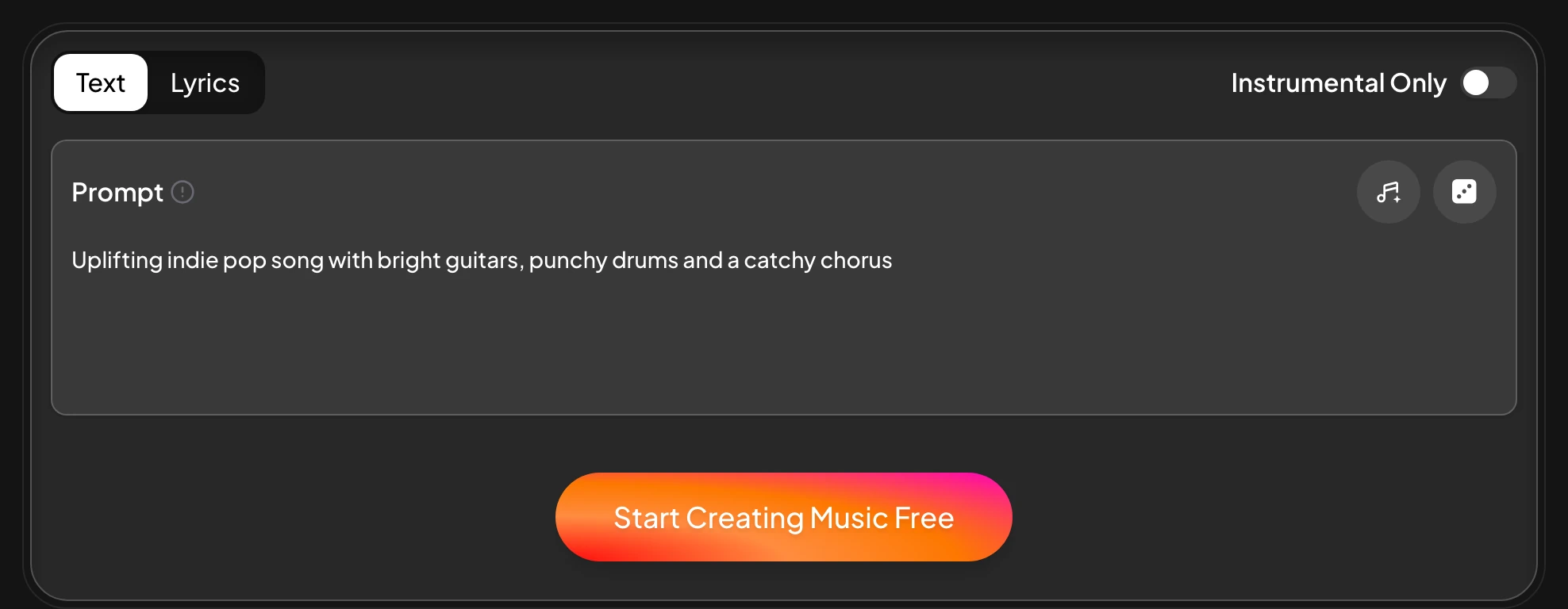
Turn this switch on for a backing track you can sing over yourself.
Use Extend to lengthen a song or Replace Section to rework a single part.
Finished songs stay in My Workspace, with download options in each song's menu.
To put a track on screen, the Editor turns your photos into a Photo Video, and the Lyric Video Maker lines up your words with the music. That full loop from words to a shareable track is what sets the best songwriting AI apart from a plain lyric prompt.

Lyric Studio drafts the words and the AI Music Generator turns those lyrics into a sung track, so the two tools work together as one songwriting setup.
Yes. Paste them into the Lyrics tab of the AI Music Generator and the vocal sings your lines.
Yes. The AI Music Generator composes the melody and arrangement from your style description and sings your lyrics over it.
Yes. Choose a male or female voice before generating, or turn on Instrumental Only for music without vocals.
The AI Lyrics Generator has a Language setting under More Settings, so you can draft lyrics in the language you plan to sing.
Every generated song is saved in My Workspace, where you can play it, download it and open it again for edits.
Draft your lyrics, hear them sung and keep the take you like best.
Open Lyric Studio