Beatoven Alternative
Silent picture needs a soft bed, not a speech bed. This Beatoven Alternative returns Instrumental Only tracks for montage and cutaways, with a full ending and fade.
Picture-first beds for montage and cutaways.

Hear Quiet B-Roll Beds From This Beatoven Alternative
Two instrumental beds for silent picture from this Beatoven Alternative, Soft Cutaway and Travel Dust.
-
Clip 1 · hold frame

Soft Cutaway
Warm pads and light piano for a quiet montage hold.
0:00Tap play to hear this B-roll bed.
-
Clip 2 · road cutaway

Travel Dust
Soft guitar and airy pads for a dusty road cutaway.
0:00Tap play to hear this B-roll bed.
What This Beatoven Alternative Does for a Calm B-Roll Bed
What freemusic does on this Beatoven Alternative path, sorted the way an editor sorts footage.
Bin A Before you generate
- Instrumental Only keeps the bed wordless under silent picture.
- Name the cutaway in the prompt: montage, travel, or hold-frame mood.
- Quiet dynamics: ask for soft pads so the picture stays clear.
Bin B After the bed lands
- Remix the bed you chose with AI Remix Generator to restyle a finished bed.
- Split stems with AI Stem Splitter to separate pads, percussion and more.
Lay a Quiet B-Roll Bed With the Beatoven Alternative
Numbered Beatoven Alternative moves from a silent frame to soft Instrumental Only tracks.
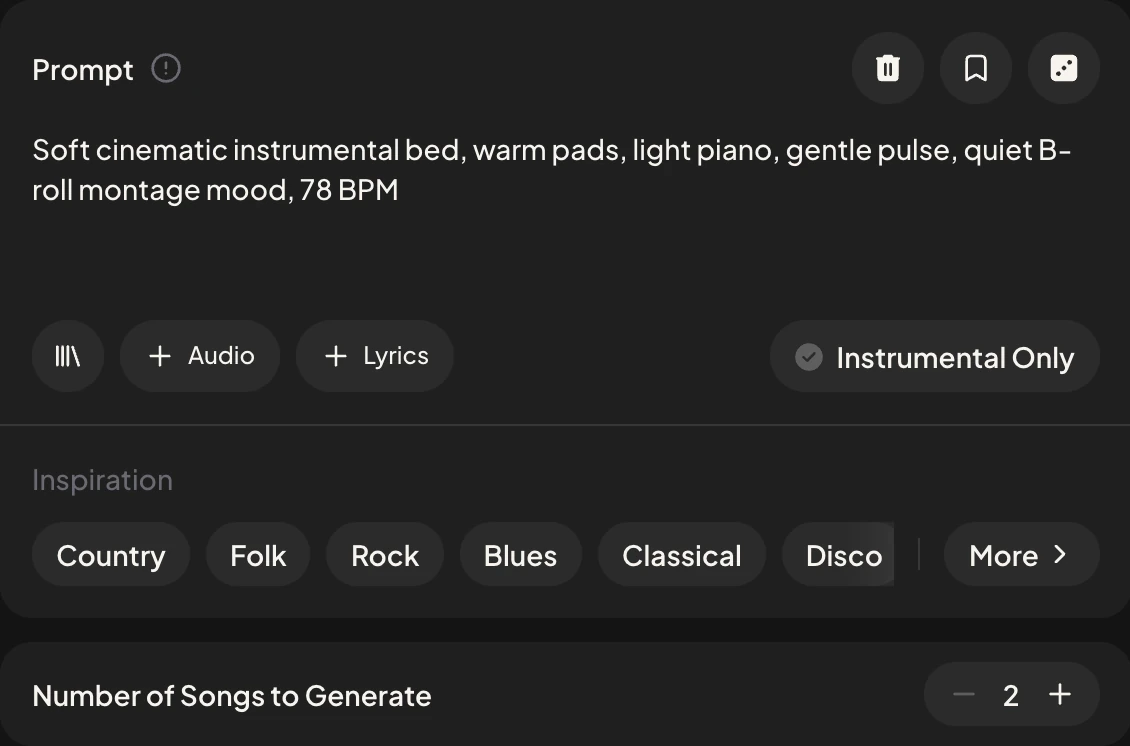
Describe the silent picture
Name the cutaway, montage, or hold frame - keep speech out of the prompt.
Prompt box: slow montage hold
Switch on Instrumental Only
Stay wordless so the bed sits cleanly under picture.
Switch: Instrumental Only
Generate soft beds
Ask for a full ending, outro, and fade out, then choose the quieter bed.
Ending Fade out
Remix and Stem Tools After the Beatoven Alternative
Restyle, pull stems, or draft lyrics for a later vocal pass on a different page.
Why Editors Switch to This Beatoven Alternative for B-Roll
For silent picture, the bed has to stay out of the way, and this page is built around that one job.
Wordless from the start. Instrumental Only keeps every bed free of vocals, so montage and cutaway footage carry the story.
Mood named by the shot. Type montage, travel or hold-frame in the prompt and the bed follows the kind of cut you are making.
Finished endings, then trims. Each bed closes with a soft full ending, so you trim in your editor instead of fading a loop by hand.
Room for later changes. Restyle a bed in AI Remix Generator, or pull pads and percussion apart with AI Stem Splitter.
Frequently Asked Questions
What is Beatoven Alternative on freemusic?
A path for quiet B-roll beds, with Instrumental Only beds for silent picture and montage, with a soft full ending.
Is this for voiceover underscoring?
No. This page focuses on silent B-roll and montage. Keep speech out of the prompt so the bed stays picture-first.
Do I need to match a video cut length?
No. Generate a full soft bed with a finished ending, then trim in your editor if needed.
Should I use Instrumental Only?
Yes. Switch it on for wordless B-roll beds.
Generate Soft Fades With This Beatoven Alternative
Open freemusic, describe a silent cutaway, switch on Instrumental Only, and generate soft fades with this Beatoven Alternative.
Make a Song on freemusic